Booking train tickets on tauhoa.vn is straightforward, but if this is your first time using the form, take each step slowly to avoid choosing the wrong station, date or seat type. This guide explains the process from opening the booking form to submitting your ticket request.
Before you start, prepare your departure station, arrival station, travel date, number of passengers and a phone or Zalo contact so ticketing staff can confirm details when needed.
1. Choose the Train Route
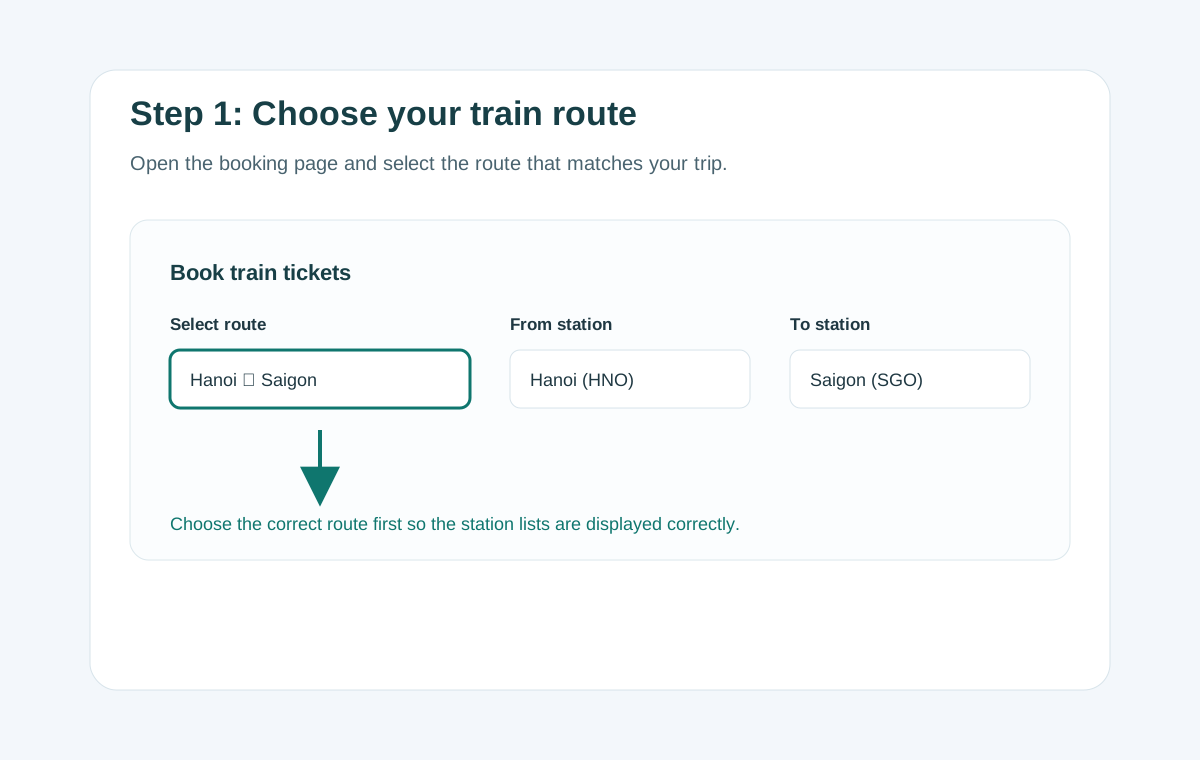
Go to the Book Train Tickets page. In the Route field, choose the route that best matches your journey. After you choose a route, the form will show the correct list of stations on that route.
For example, Hanoi to Saigon uses the Hanoi – Saigon route; Hanoi to Hai Phong uses the Hanoi – Hai Phong route; Hanoi to Tu Son uses the Hanoi – Kinh Bac route.
2. Choose Departure Station, Arrival Station and Travel Date
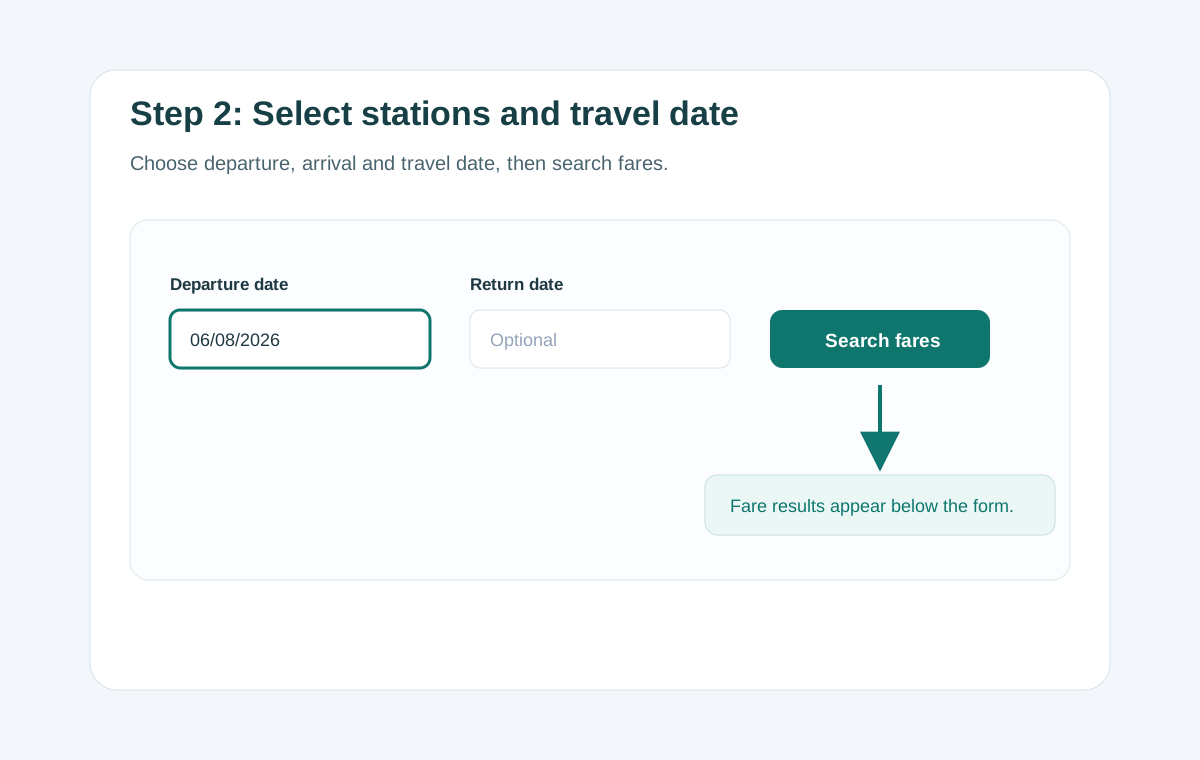
Select the Departure station, Arrival station and Departure date. If you need a round trip, also choose a return date. If you only need a one-way ticket, leave the return date blank.
Check the date carefully before pressing Search fares. This is the step where mistakes most often happen, especially when booking for holidays, weekends or dates far in advance.
3. Review Train Times and Choose a Fare
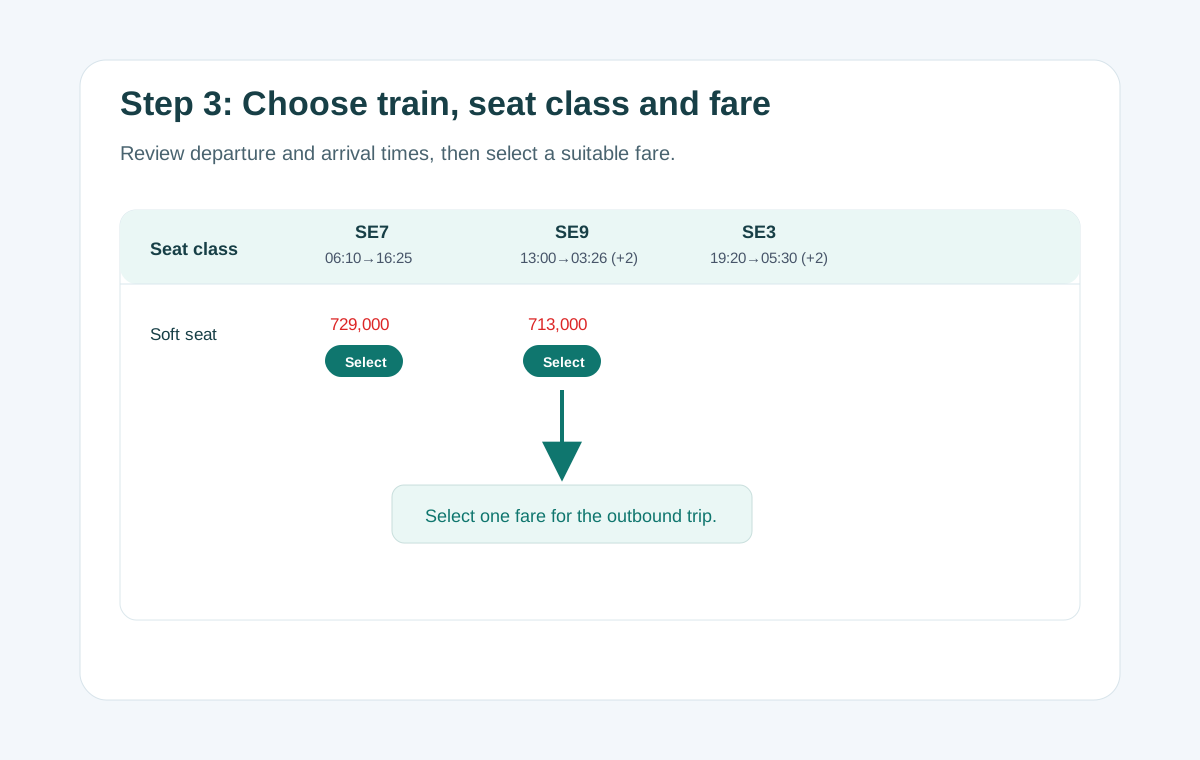
The fare table is displayed by train number. Under each train number, you can see the departure time, arrival time and total travel duration. If a train arrives after the departure date, the table will show (+1) or (+2).
Some seat types may have several fare levels. Choose the suitable fare by pressing Select. For a round trip, choose both the outbound fare and the return fare.
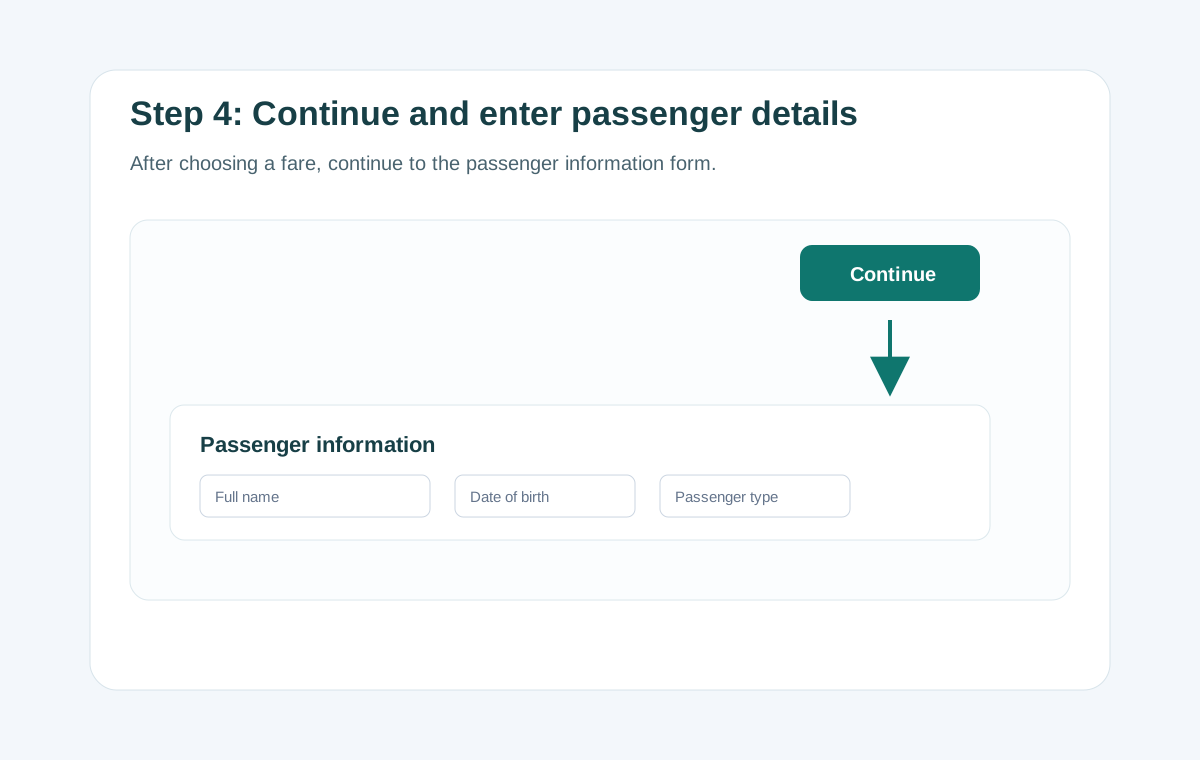
4. Press Continue and Enter Passenger Details
After you choose a fare, the Continue button becomes active. Press it to move to the passenger information section.
Enter each passenger’s full name, date of birth and passenger type. If you are booking for several people, press + Add passenger. The total amount will update automatically according to the number of passengers and ticket type selected.
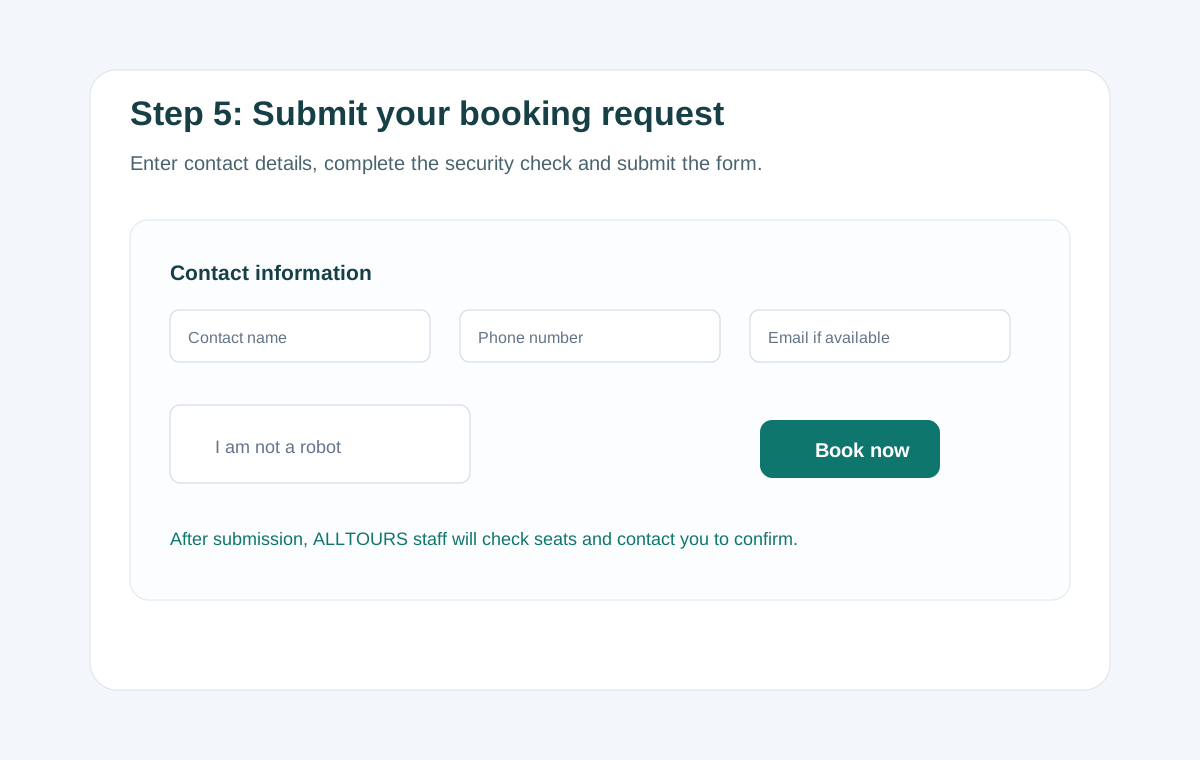
5. Submit the Booking Request
Enter the contact person’s full name, phone or Zalo number and email if available. If the form asks for a security confirmation, tick the confirmation box before pressing Book tickets.
After submitting the request, do not press the button repeatedly. ALLTOURS staff will check seat availability, confirm the details and guide you through payment or e-ticket delivery.
A Few Notes Before Submitting the Form
- Check the departure station, arrival station, travel date and return trip if any.
- For trains that arrive on a later date, check the (+1) or (+2) mark carefully to avoid confusing the arrival date.
- Prepare passenger identity documents in case ticketing staff need to verify details.
- A ticket is only confirmed after confirmation from ticketing staff or the booking system.
Try Booking Now
Use the form below to check train fares and submit your booking request.
Need Help? Contact ALLTOURS
If you are not familiar with the booking steps, send your itinerary to ALLTOURS and our staff will check train times, fares and available seats.
- Hotline: 19001812
- Phone/Zalo: 0373 023 023
- Email: [email protected]
- Website: alltours.vn
- Contact page: Contact ALLTOURS
When contacting us, please include the departure station, arrival station, travel date, number of passengers and preferred seat type.